Many ads are disapproved not because of the ad itself but because of the landing page – the page people see after they click. Here are the issues Google flags most often and a checklist you can run yourself.
Common destination issues
Under the Destination requirements policy, Google doesn’t accept:
- Destination not working – the page errors, doesn’t load, or returns errors to Google’s crawler.
- Destination mismatch – the display domain differs from the real page domain, or redirects send people elsewhere.
- Not accessible from the countries you target.
- Poor destination experience – hard to navigate, forced downloads, intrusive pop-ups.
- Insufficient original content – pages built mainly to show ads, copied content, or pages that only send users elsewhere.
The good news: these violations don’t suspend your account immediately – Google warns you at least 7 days in advance so you can fix them.
Don’t get flagged for misrepresentation
The Misrepresentation policy is stricter. Your landing page should:
- Make it clear who you are and what you sell – business, product or service names.
- Be transparent about prices and fees – how billing works and the full cost, with no hidden charges.
- Avoid exaggerated promises and fake endorsements or certifications.
Collecting customer data
If your site has forms that collect names, emails or phone numbers, Google requires that data to be sent over a secure (HTTPS) connection and not misused. A privacy policy and clear contact details aren’t required on every page, but they’re an easy way to earn trust from both customers and Google.
Pre-launch checklist
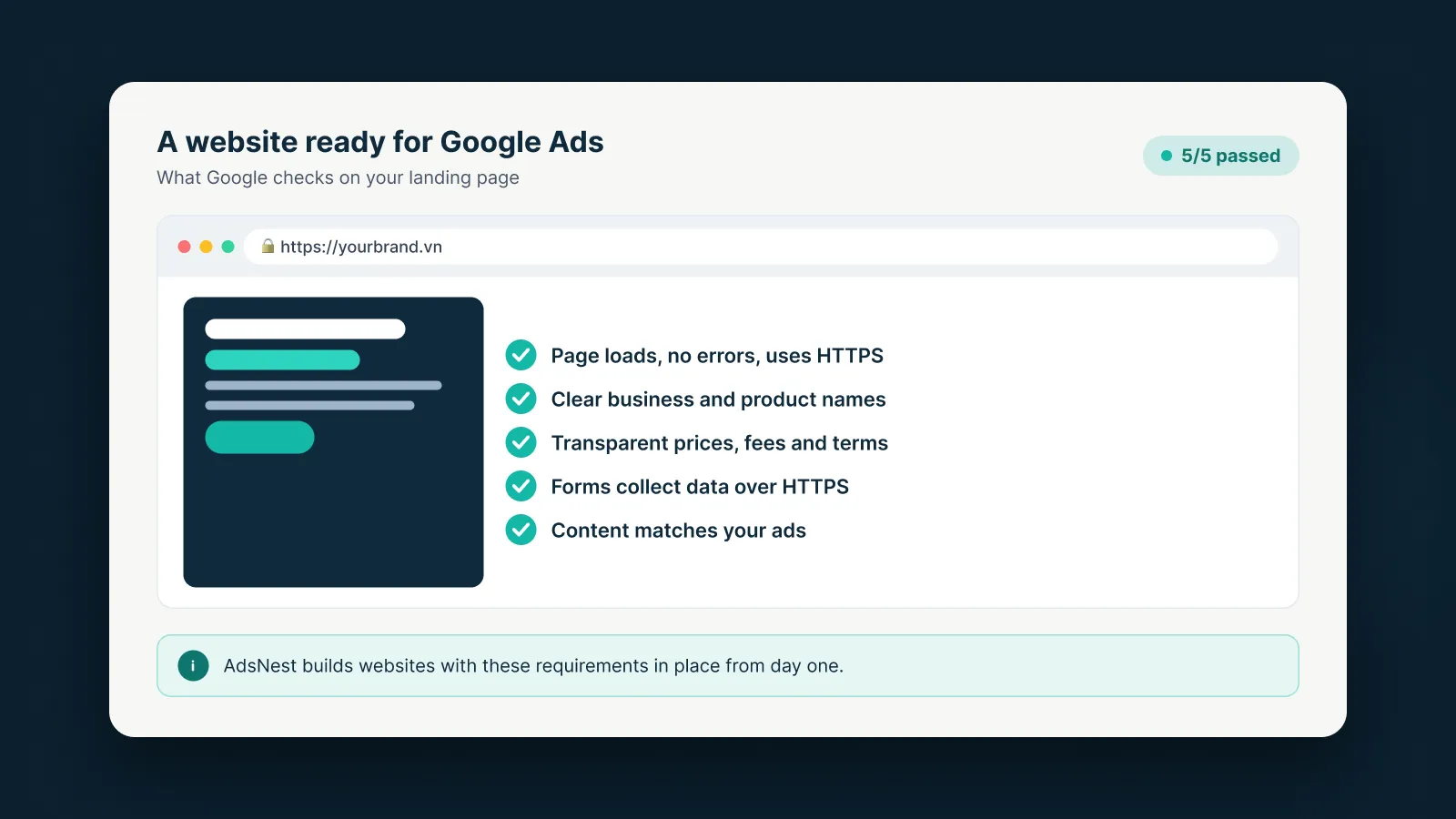
- The page loads on desktop and mobile, over HTTPS.
- The domain in your ad matches the landing page.
- Business, product and service names are clearly shown.
- Prices, fees and terms are transparent.
- Data-collection forms use HTTPS.
- The page delivers what the ad promises.
AdsNest builds websites with these requirements in place from day one, so you can advertise without constant fixes.
Sources
AdsNest Editorial. Our articles are based on official Google Ads documentation and reviewed regularly. See our Editorial policy.


 Message on Telegram
 Message on WhatsApp